Short answer: My Model 3 phone-key problem was resolved by registering the phone key again using a physical key for authorization. I have also dealt with a window that would not close properly and performed window calibration. During troubleshooting, I discovered torn rubber molding visible with the door open and had it replaced at no charge. The problems have not returned so far.
Phone key not working · Window not closing · Torn door molding
My experience: June 2020 Model 3, HW3, Intel Atom, 76,000+ miles. The re-registration, window calibration and no-charge molding replacement described here happened on my car.
Official guidance: the general phone checks, key-card instructions and switch-calibration sequence below come from Tesla. Use your vehicle’s manual for its reader locations and available settings.
Phone key and window: symptom-to-action guide
| Symptom | First action | If it continues |
|---|---|---|
| Phone key not detected | Use physical backup; check Bluetooth, permissions and selected account | Reset/re-register with working key authorization |
| App remote control works; proximity fails | Check phone-key/Bluetooth path separately | Report phone, app and vehicle versions |
| Window fails to complete travel | Inspect path and rubber; calibrate if unobstructed | Service after a couple of unsuccessful attempts |
| Torn molding or glass strikes trim | Stop repeated cycling; photograph the damage | Repair physical damage and check alignment |
| Other electrical warnings | Follow the actual low-voltage alert | Use the battery-warning guide rather than key resets |
Two symptoms that need separate checks
A phone that is not recognized and a window that does not close correctly can both make opening or securing the car frustrating. Treat key recognition and glass movement as separate branches.
In my case, phone-key re-registration addressed recognition. Window calibration and the discovery of damaged door rubber were a separate part of the troubleshooting.
- The door does not unlock with your phone: start with a working physical key and the phone-key section.
- The car unlocks but the glass moves or seals incorrectly: check the glass path and visible rubber before calibration.
- You can see torn or displaced molding: document it and arrange inspection rather than repeatedly cycling the glass.
Phone key not working: what fixed mine
I used my physical key to authorize registering the phone key again. That resolved the issue, and it has not recurred so far. I do not have a record proving which software or Bluetooth condition originally caused it.
This is why I would have a working backup key in hand before making changes to the phone-key entry. Being able to open the app is not the same as having verified that the physical key works.
Use the key card as a backup
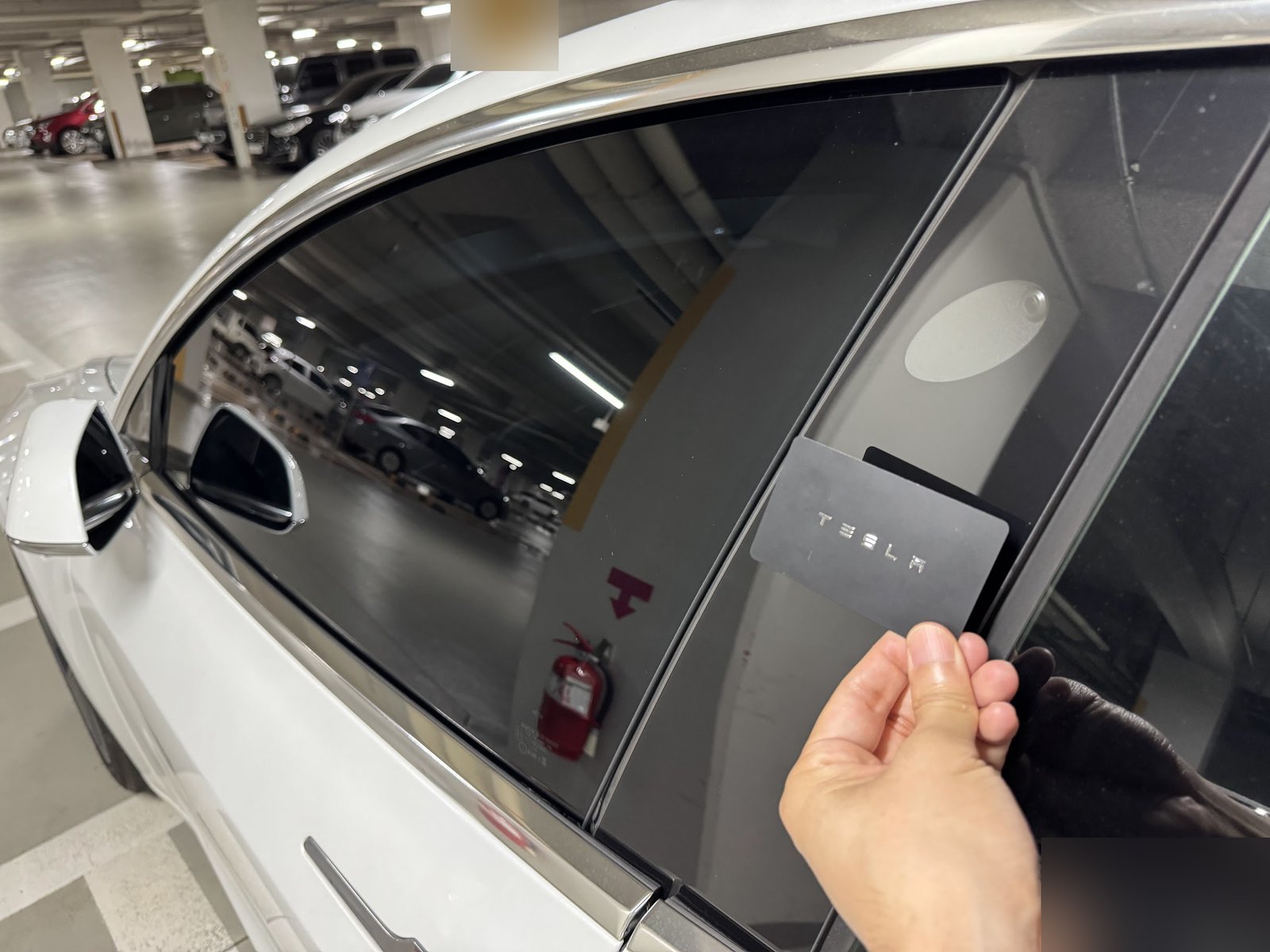
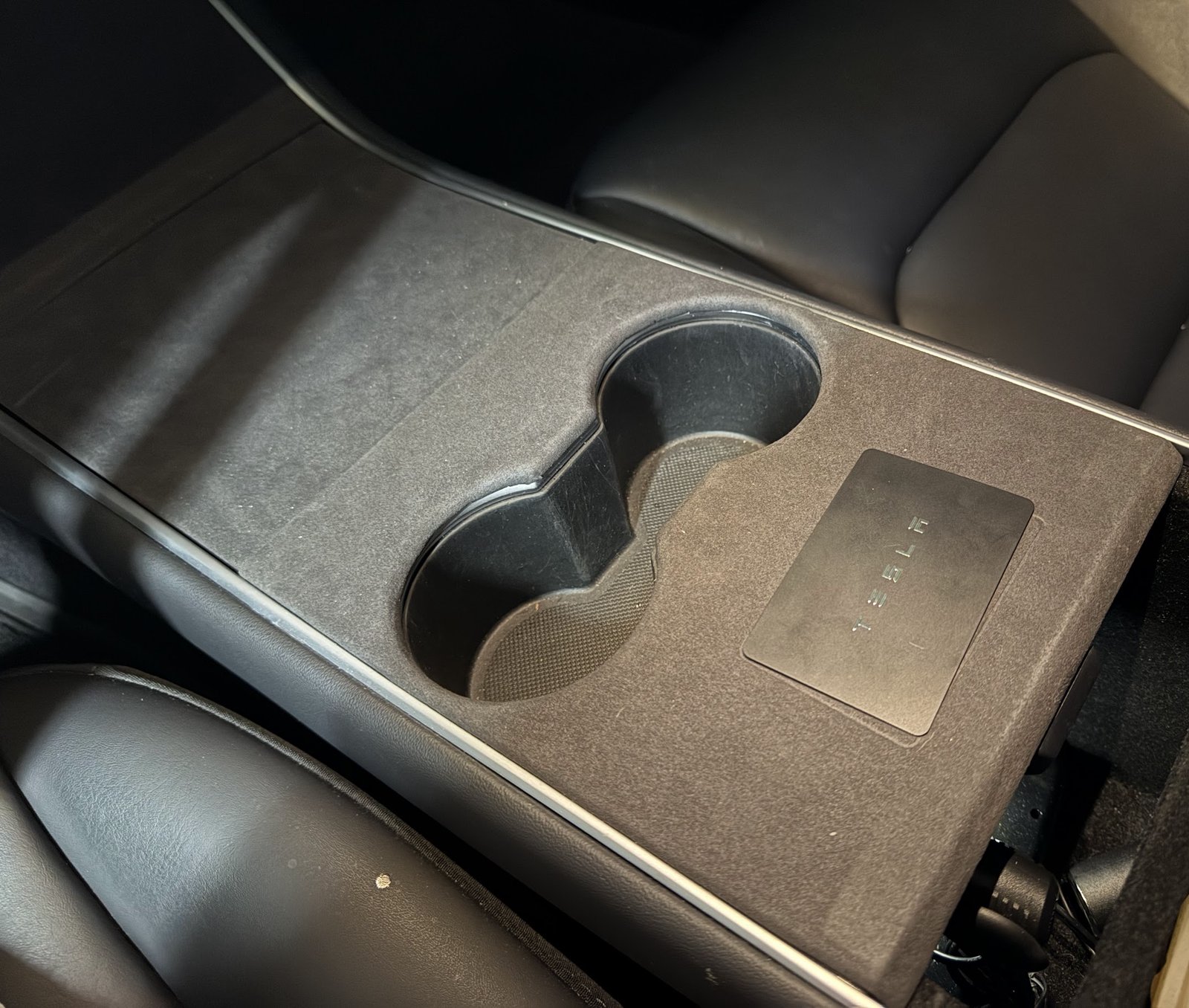
On my 2020 car, tap the card at the driver-side pillar reader to unlock. Press the brake within two minutes; after that, authenticate again at the console reader behind the cupholders. Carry the card with you. It does not provide Walk-Away Door Lock, so confirm the car is locked when leaving.
Check the phone before removing its key entry
Tesla’s checklist includes Bluetooth on, the correct Tesla account, current app software, location permission set to Always, power-saving and Airplane modes off, and Allow Mobile Access enabled in the car. These are general checks;
If the app responds but proximity unlocking fails, note that distinction. It makes a more useful service report than simply saying that nothing works.
Reset or register the phone key again
Tesla provides an app reset at Security & Drivers > Phone Key Best Practices > Reset Phone Key. If you re-register instead, keep a working physical key with you and follow the app and touchscreen prompts. Confirm the new key works before putting the backup away.
My successful action was re-registration authorized with the physical key.
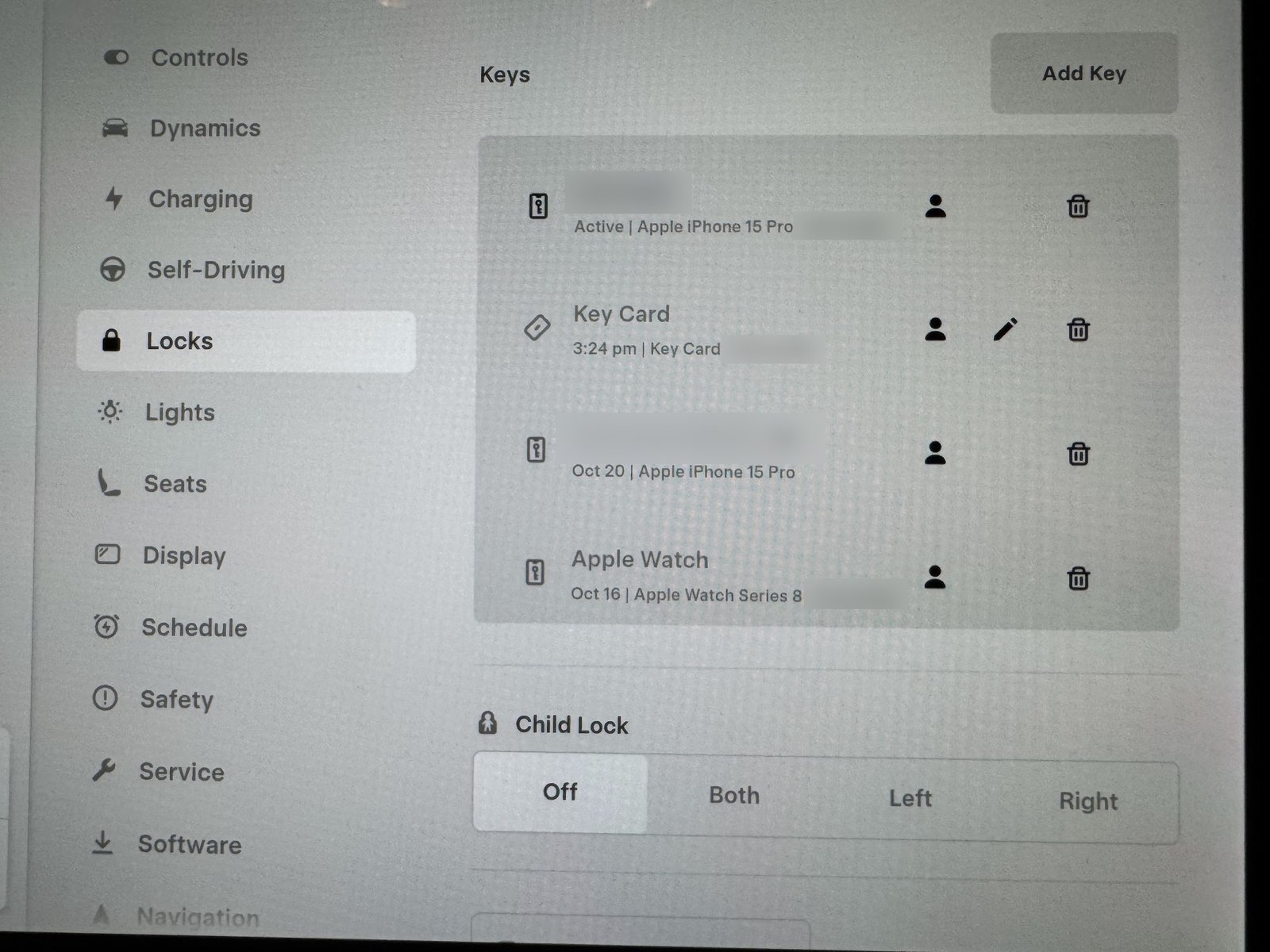
Controls > Locks shows the registered keys on my car. If removing an old phone entry as part of re-registration, identify the correct entry and retain the working backup. Do not remove other drivers’ keys as a troubleshooting shortcut.
Afterward, test unlocking and driving authentication while parked, then check locking with the backup key still with you. If recognition remains unreliable, provide Tesla with the phone model, app version and the specific result of these tests.
If the vehicle also displays a low-voltage battery warning, address that warning separately using my low-voltage battery warning guide. A phone-key failure by itself is not proof that the battery needs replacement.
Window not closing: inspect before calibrating
I have experienced a window-closing problem and performed calibration myself. I have not had the problem recur so far. During the process I also found damaged rubber molding, which needed a physical repair rather than a setting change.
Before operating the window, look at the visible rubber with the door open. If glass is hitting trim, the rubber is torn or the movement looks crooked, stop and have it checked. Keep fingers, clothing and objects clear of the opening throughout any test.
For rear switches that appear unresponsive, check Window Lock before assuming the window mechanism has failed. The settings shown below are from my own touchscreen.
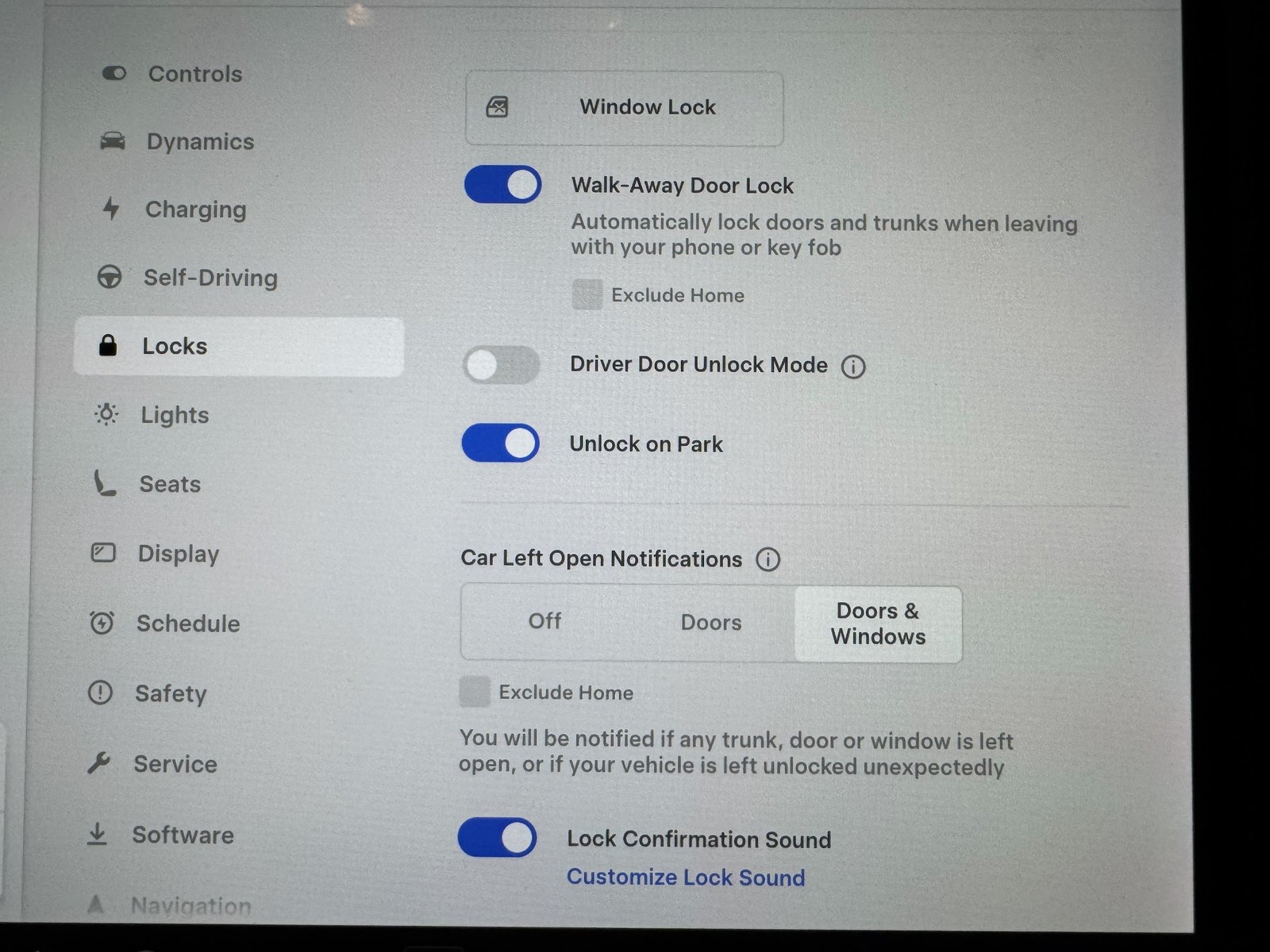
Official owner window-calibration sequence
Tesla’s DIY procedure uses the affected window’s switch on the driver’s door:
- Close the affected door, sit in the driver’s seat and close the driver’s door.
- Raise the affected window until it stops at the upper end of travel.
- Lower it until it stops at the bottom.
- Raise it again until it stops at the top.
Check its operation afterward. Tesla advises further checks or service if the problem continues after a couple of attempts. Do not repeatedly run the glass against visible damage.
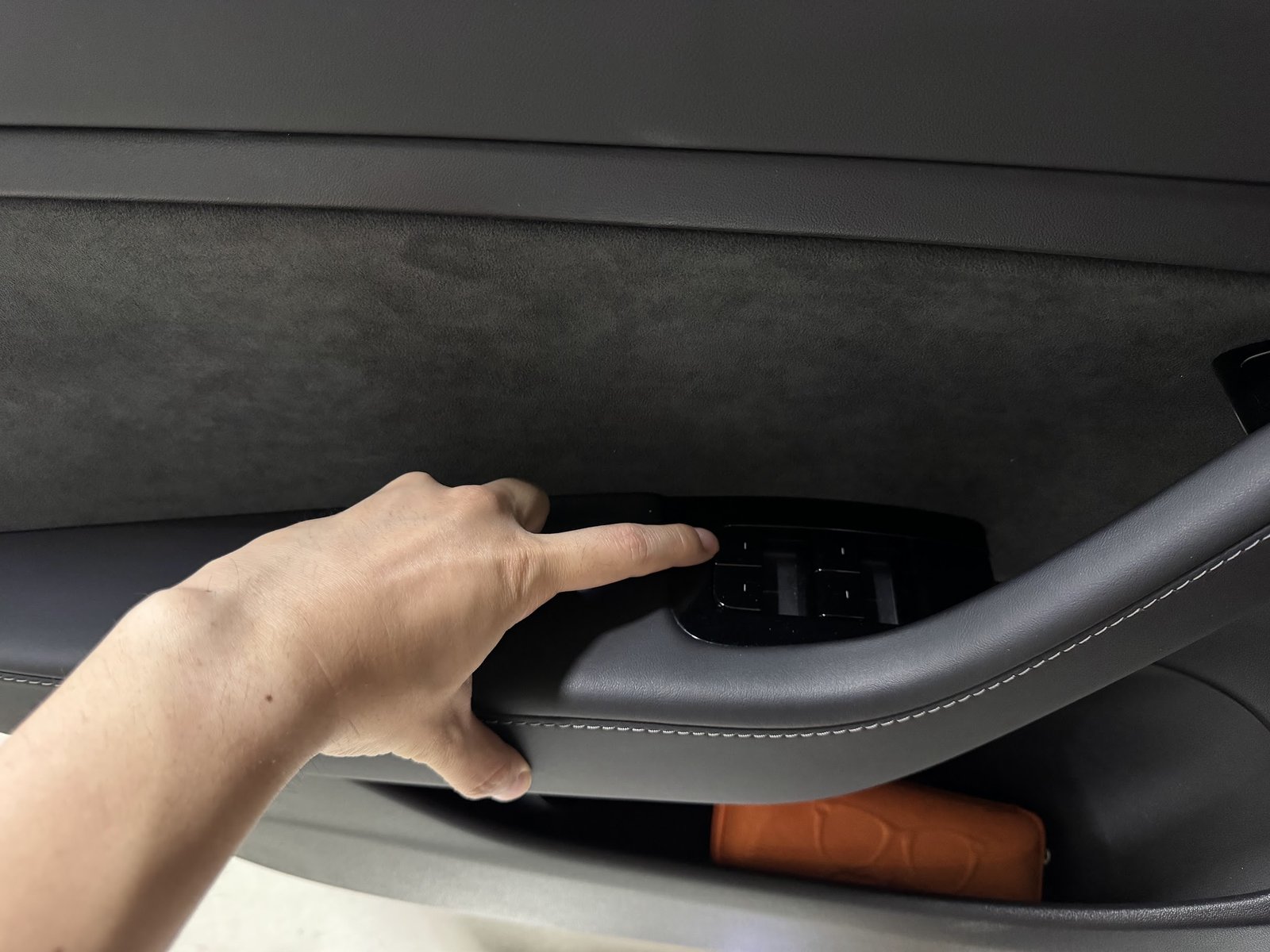
The torn door molding I found
The damaged part was rubber molding visible when the door was open—not the windshield surround. I had it replaced at no charge. I am not identifying an exact part number or a particular door position from memory.
This was a useful discovery during troubleshooting: the problem was not entirely a question of which button to press. Calibration cannot repair torn rubber.
I would photograph the damage and show the service provider where the glass meets it. Ask them to identify the affected molding and check the window’s movement before deciding what needs replacement.
The no-charge replacement reflects my particular service outcome. Confirm coverage and any estimate before authorizing work.
Arrange inspection when the problem is physical
Glass striking trim, a torn seal, crooked movement or an opening that will not seal needs inspection. Avoid forcing the door or repeatedly cycling an obstructed window. If ice is holding the glass, allow it to defrost before trying again. If the exterior handle is frozen too, see my frozen door handle guide.
Choose the cheapest useful next step
For key recognition, start with phone settings and a working physical key, then re-register if the basic checks fail. My re-registration solved the recognition problem. Buying a wireless charger or replacing the vehicle battery is not the default phone-key fix.
For the glass, look at the movement and rubber first. An unobstructed window that has lost its travel reference is a candidate for calibration; torn molding or crooked glass needs a physical repair. Photograph the damage and ask the shop to identify the exact seal or mechanism before ordering parts. My torn door molding was replaced at no charge; confirm your coverage and the current quote. After any action, test closing, opening and locking before treating the job as complete.
FAQ
Did replacing the rubber fix the phone key?
No such connection was established. Re-registering the phone key resolved my recognition issue. The damaged door molding was found and replaced during the window-related troubleshooting.
Did the window problem come back?
Not so far. I performed calibration and also had the torn molding replaced.
Should I keep recalibrating a window with a damaged seal?
No. Have the visible damage checked. My experience is a reason to look at the rubber as well as the controls.
Does phone key need cellular reception?
Once authenticated, Tesla says the phone key can work over Bluetooth without an internet connection. Remote app commands are a separate function. Keep a working physical backup with you.
Official references
See Tesla’s phone-key checks and reset options, the 2017–2023 Model 3 key instructions, and its owner window-calibration procedure. My re-registration result, calibration experience and molding replacement are described separately above.
— Volt Fix Garage
Leave a Reply