
Short answer: For a Model 3 blowing cold air, first separate strong but cold airflow from weak airflow or a preheat that never started. Check the requested temperature, vent settings and visible intake obstruction. A touchscreen restart or vehicle power cycle can be appropriate for unusual behavior, but persistent loss of heat needs diagnosis.
If the windshield will not stay clear, stop safely. Seat heaters can provide comfort if available, but they do not defrost the glass.
Choose your symptom · PTC or heat pump · Seven checks · Service and costs
My experience: I drive a June 2020 Model 3 with HW3 and more than 76,000 miles. I have had the A/C suddenly stop cooling. A service center found a ruptured A/C condenser and replaced it. I cover that failure in a separate post on the VCFRONT_a447 alert and condenser repair.
Scope of this guide: That cooling failure is separate from a confirmed cabin-heater failure. The heating checks below draw on Tesla’s instructions; the photographs show my car’s controls and accessible areas. Heat-pump information applies to equipped vehicles, rather than my resistive-heater car.
No heat: symptom, free check and service threshold
| Symptom | First check | Next step |
|---|---|---|
| Strong but cold airflow | Heat request, split temperature and outlets | Persistent loss: heater/thermal diagnosis |
| Loud fan / weak airflow | Visible intake obstruction, vents and filters | Still weak: HVAC inspection |
| Climate screen frozen | Park; touchscreen restart | Power cycle if unusual behavior persists |
| Scheduled preheat absent | Schedule, charge and Low Power Mode | Retest active climate; report continuing failure |
| No defrost / visibility impaired | Stop safely; follow warning instructions | Assistance/service before unsafe driving |
| Heat-pump recall concern | VIN applicability and software history | Apply specific remedy, not speculative parts replacement |
Start with the symptom, not a replacement part
- Air blows strongly but stays cold: check temperature and airflow selection, then record any alert and arrange service if heating does not return.
- The fan is loud but little air reaches you: check vent direction, visible intake obstruction and filter condition.
- Only one side feels cold: check split temperatures and vent settings before assuming the heater has failed.
- Morning preheat did not run: check the schedule, app status, battery charge and Low Power Mode.
- There is a climate-service warning: save the complete message and follow its instructions. A warning alone is not a parts diagnosis.
Does your Model 3 have a PTC heater or a heat pump?
My June 2020 Model 3 has a resistive cabin heater, commonly called a PTC heater. Tesla identifies Model 3 vehicles manufactured between approximately July 2017 and October 2020 as vehicles without a heat pump. Later vehicles may use a heat-pump system; verify the equipment on your car instead of relying only on its registration year.
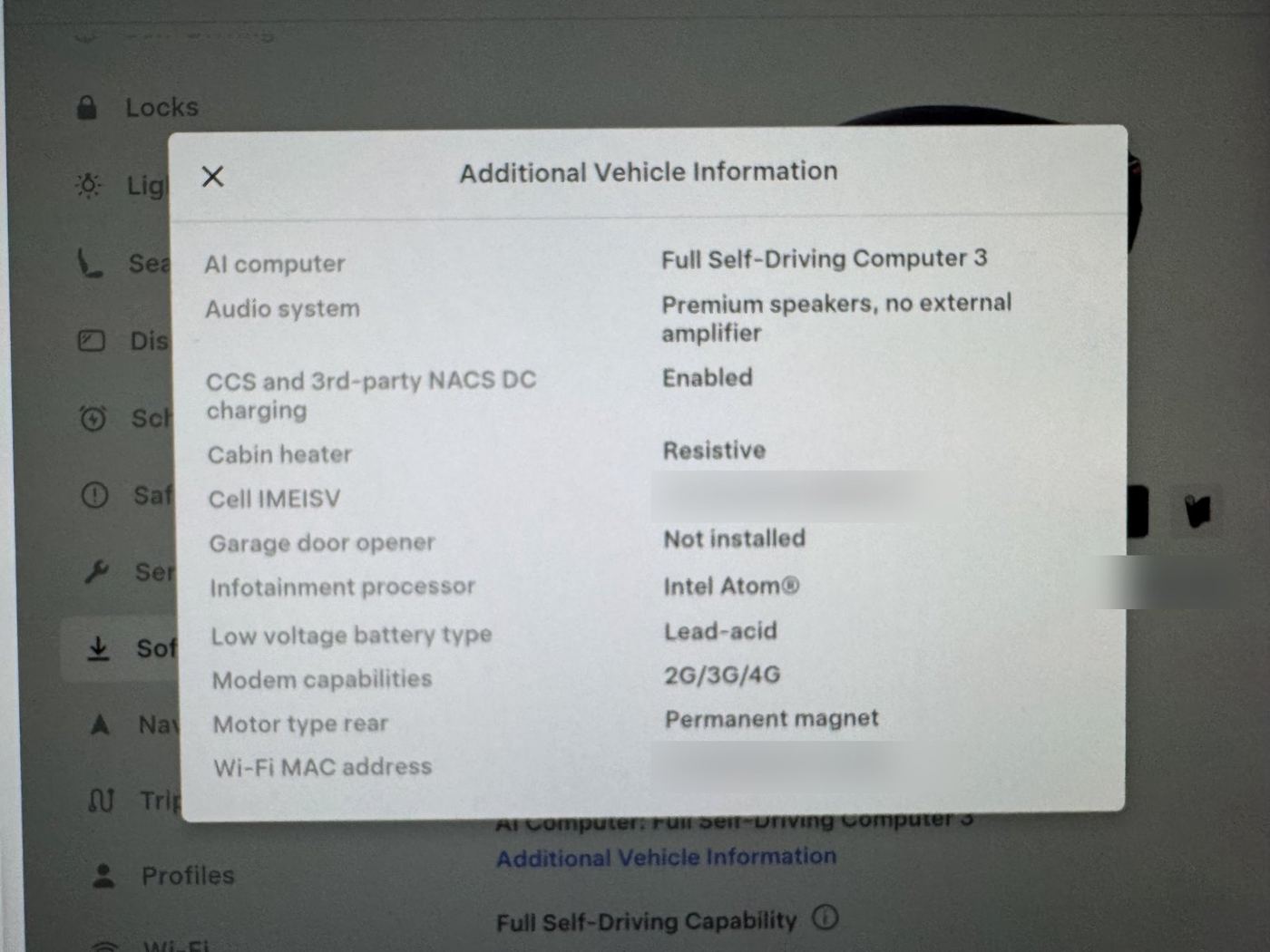
Look under Controls → Software → Additional Vehicle Information for the cabin-heater information, where available. A resistive heater produces cabin heat electrically; a heat pump transfers heat using a refrigerant system. That distinction matters when a technician diagnoses a loss of heating.
Heat-pump discussions often mention the compressor, refrigerant sensors, Supermanifold and Octovalve. These names are not interchangeable diagnoses. Diagnosis separates electrical heating, refrigerant and airflow faults.
Seven practical checks before service
1. Confirm that you are requesting heat
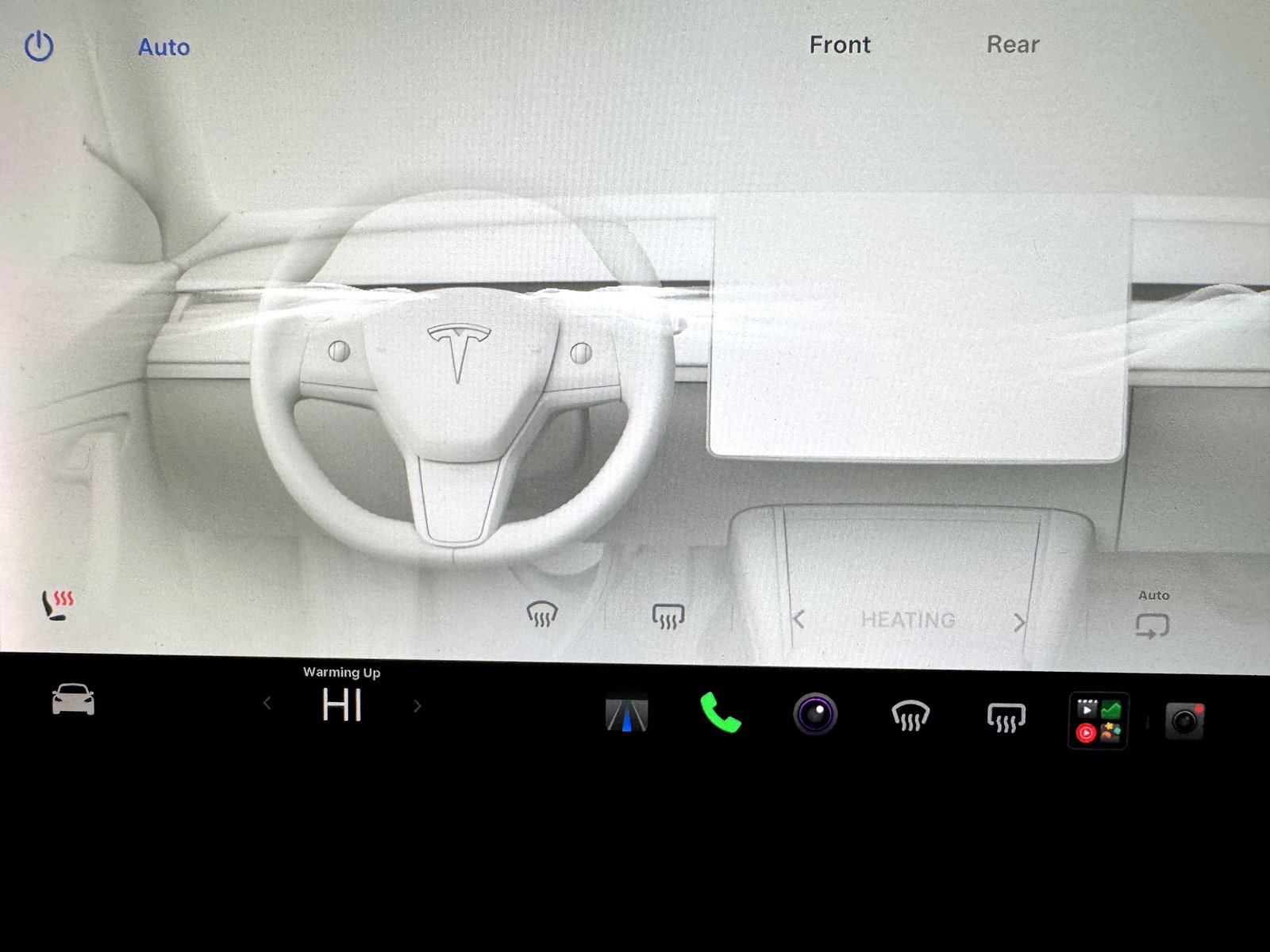
While parked, open the climate panel and confirm that heating is requested. You can briefly select a higher temperature or HI to make the request clear. Check split temperatures, selected outlets and any rear-cabin controls fitted to your vehicle.
Auto is the normal starting point. Temporarily selecting a fixed fan speed can help you assess airflow; it is not a repair for a failed heater. Tesla notes that the fan may run more slowly while the cabin is warming.
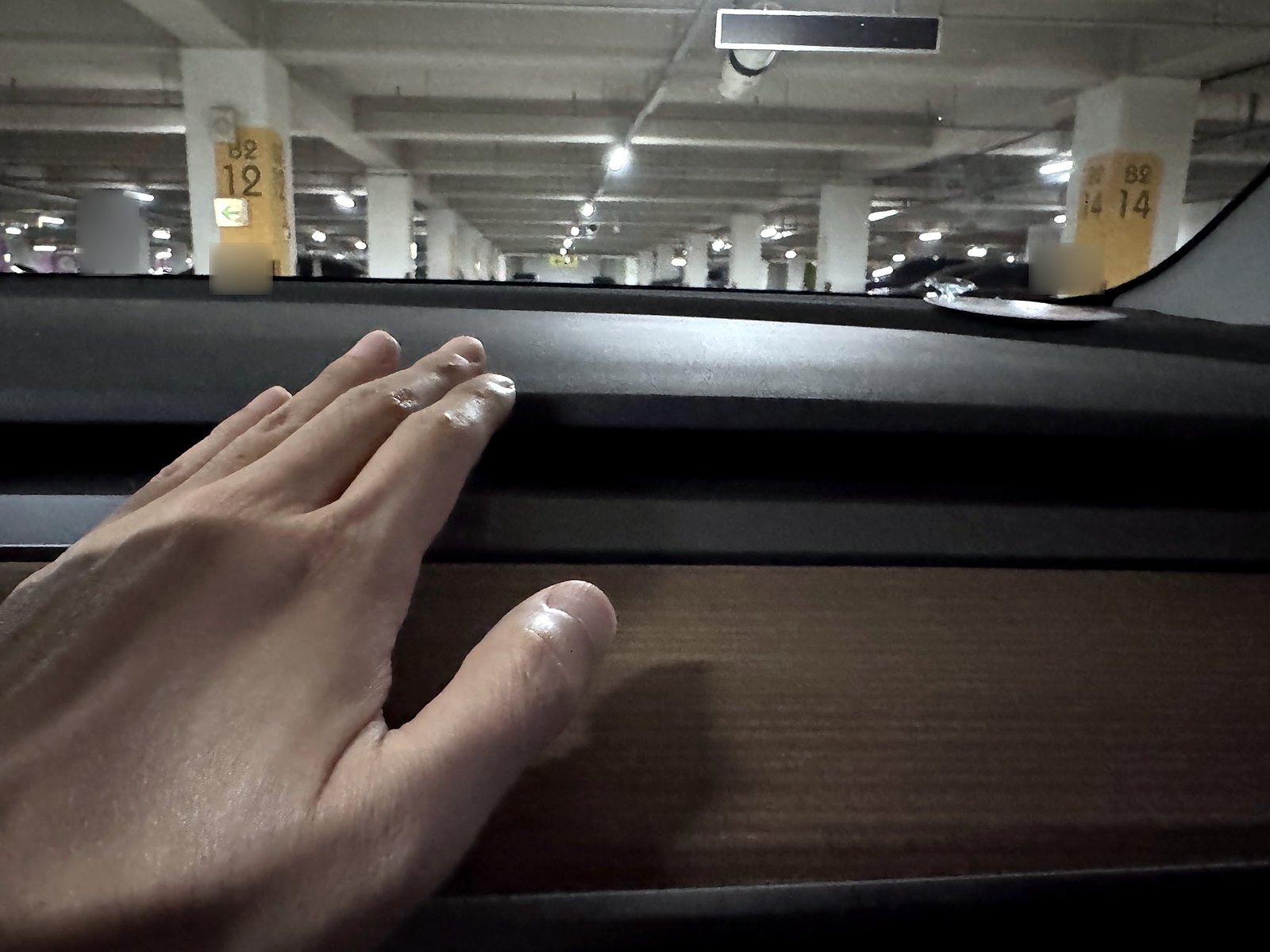
Allow the system to warm up and note whether the result changes. Avoid treating a fixed one- or two-minute deadline as a universal pass/fail test in every temperature.
2. Check the visible fresh-air intake
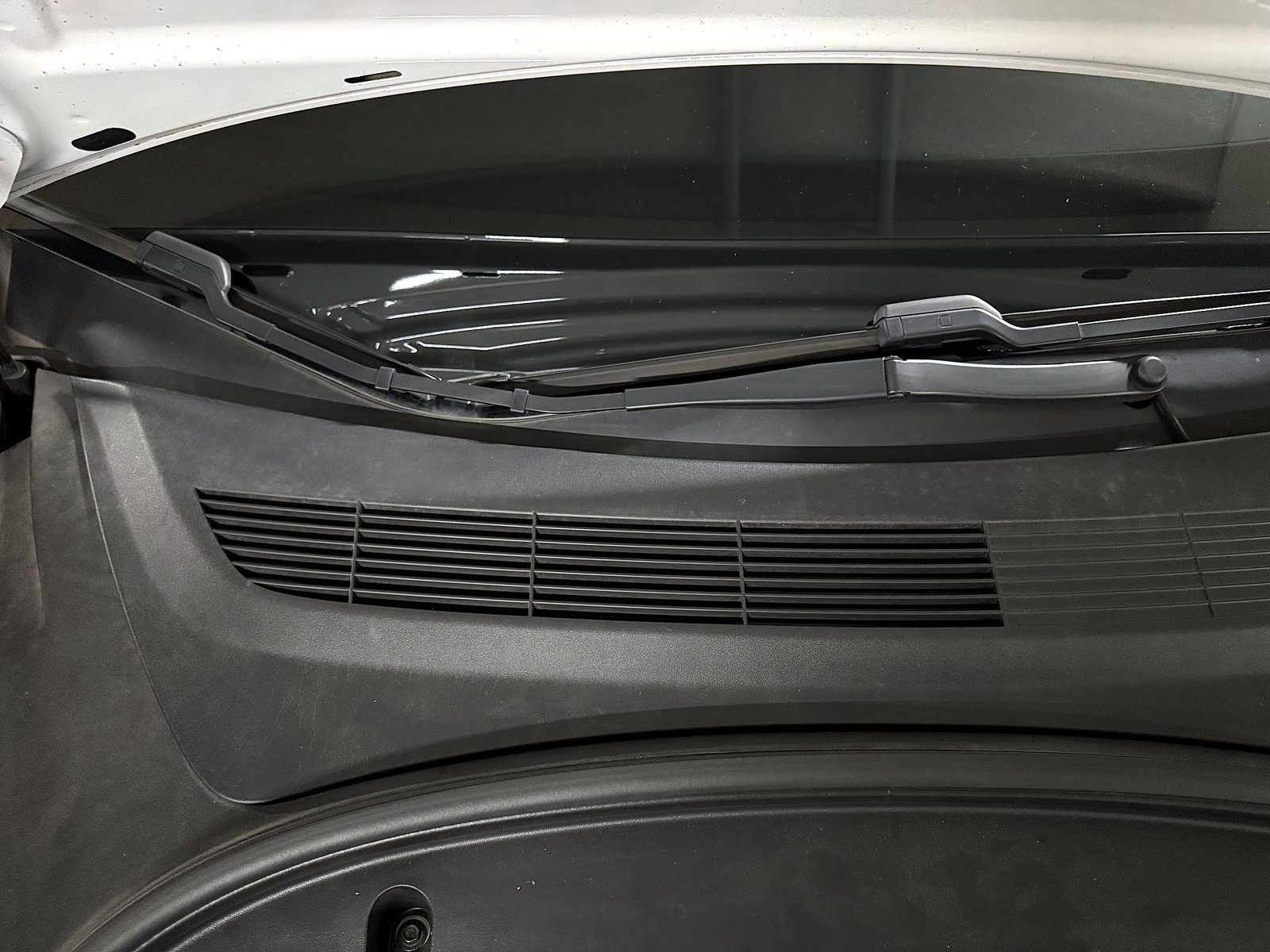
Tesla advises keeping the exterior grille ahead of the windshield clear of ice, snow, leaves and debris. Remove loose material gently from accessible areas. Do not scrape plastic with metal tools or force ice from moving louvers.
Restricted airflow and absent heating are different symptoms. If airflow improves but stays cold, continue to the heating-system branch.
3. Consider filters when airflow is weak or smells musty

Check filter maintenance if airflow has become weak or a musty smell accompanies it. My cabin-filter replacement guide covers the work on my car and the filter-only result I experienced.
If airflow is strong but cold, buying filters is not a substitute for diagnosing the heating problem. Use the filter procedure for your vehicle and avoid disturbing nearby high-voltage components.
4. Distinguish a screen restart from a vehicle power cycle
If the climate controls themselves are frozen, start with the touchscreen restart guide. Restart the screen while stopped in Park, following Tesla’s instructions.
Tesla also describes a vehicle power cycle for unusual behavior or a nonspecific alert:
- Shift into Park.
- Select Controls → Safety → Power Off.
- Wait at least two minutes without opening doors, pressing the brake or touching the screen.
- Then press the brake or open a door to wake the vehicle.
See the official power-cycle instructions. If the problem returns, report it; repeated resets do not identify the underlying cause.
5. Check software and VIN-specific campaigns
Review available updates under Controls → Software and follow the installation instructions. Do not postpone urgent service or drive with impaired visibility just to wait for an update.
There is a historical example of software affecting heat: recall 22V-050 / SB-22-18-002 addressed expansion-valve behavior on certain heat-pump vehicles running specified older firmware. The remedy was software 2021.44.30.7 or later. Check VIN applicability rather than assuming the same fault.
Check your VIN through Tesla’s recall information. Ask service to check applicable recalls and service campaigns rather than assuming a model year guarantees coverage.
6. Check preconditioning and Low Power Mode
If the cabin is cold because scheduled preheating did not run, confirm the departure schedule and whether the app reports that climate actually started. Where available, look under Controls → Charging → Low Power Mode. Tesla’s manual lists preconditioning among the features disabled in that mode.
Preconditioning while plugged in can prepare the cabin before departure. See my winter range experience and preparation tips. A missed schedule is different from a heater that blows cold while actively operating.
7. Follow any low-voltage warning separately
If the car also displays a low-voltage battery warning, follow that alert and the vehicle’s instructions. My low-voltage battery warning guide explains my own replacement experience.
Cold air alone is not evidence that the low-voltage battery needs replacement. Do not replace it or clear alerts merely to see whether heating returns.
When to book service, and what to ask about costs
Book service if heat remains unavailable, the same warning returns, or the system cannot keep the windshield clear. Do not open refrigerant lines, work on the high-voltage heater or replace thermal-system parts as an exploratory DIY fix.
Send the service center useful details:
- The full alert wording and a screenshot, if one appeared.
- Outside temperature and whether the vehicle had been preconditioned.
- Whether airflow is strong or weak, and whether both sides are affected.
- Whether cooling also fails, and whether there are new noises.
- What changed after the basic checks or a power cycle.
Request an itemized diagnosis and estimate identifying the failed part, labor and any refrigerant work. A PTC-heater job, a sensor repair and a compressor repair are different jobs. Compare quotes for the same diagnosed work. Have Tesla check your warranty terms, VIN-specific campaigns and recall status before authorizing work.
My separate A/C condenser repair
My actual HVAC repair experience was a sudden loss of A/C cooling. I took the car to a service center, where a ruptured A/C condenser was found and replaced. I cover that incident in my VCFRONT_a447 A/C condenser repair and cost guide, with the details I can confirm.
Spend on the symptom you actually have
Weak airflow with overdue filters can justify a filter set. Strong airflow that remains cold after a clear heat request needs a heating/thermal diagnosis; new filters are not the obvious purchase. A missed departure preheat calls for schedule, charge and power-mode checks first.
My 2020 car has a resistive heater, while equipped later cars use heat-pump hardware. Ask the technician to name the diagnosed component and separate parts, labor and refrigerant work in the quote. A small sensor job, compressor repair and PTC-heater replacement should not be compared as if they were the same repair. Portable cabin heaters and high-draw outlet accessories are not substitutes for working windshield defrost.
Frequently asked questions
Can I keep driving with no cabin heat?
Visibility and occupant comfort determine whether continuing is practical. If the windshield fogs or frosts and you cannot clear it, stop safely and arrange assistance. Working seat heaters do not make up for unavailable defrosting.
Does cold air mean the heat pump has failed?
No. First establish the heater type and symptom. Settings, airflow and a missed preheat can resemble a fault; persistent loss of heating needs diagnosis. My 2020 car does not have a heat pump.
Should I keep rebooting until the warning disappears?
No. Save the alert and follow its instructions. A temporary change after a restart does not prove that a failed part has been repaired.
References
Tesla’s climate-control instructions, hardware distinction, preconditioning and Low Power Mode guidance, and heat-pump recall bulletin support the relevant checks. Use the manual supplied for your own vehicle where controls or equipment differ.
— Volt Fix Garage
Leave a Reply