Quick answer: Stop and unplug, then open Controls → Service → Car Wash Mode. For a conveyor that must move the car, follow the screen prompts and select Enable Free Roll, then confirm Neutral/free-roll status before the conveyor takes over. For a stationary touchless bay, use the position specified by the operator.
Tesla recommends touchless automatic washes only. Car Wash Mode prepares settings; it does not make a brush tunnel or unsuitable chemicals safe for the finish. The mode exits above 9 mph / 15 km/h.
Mode setup · Enable Free Roll · Trim and glass care · Wash-kit selection
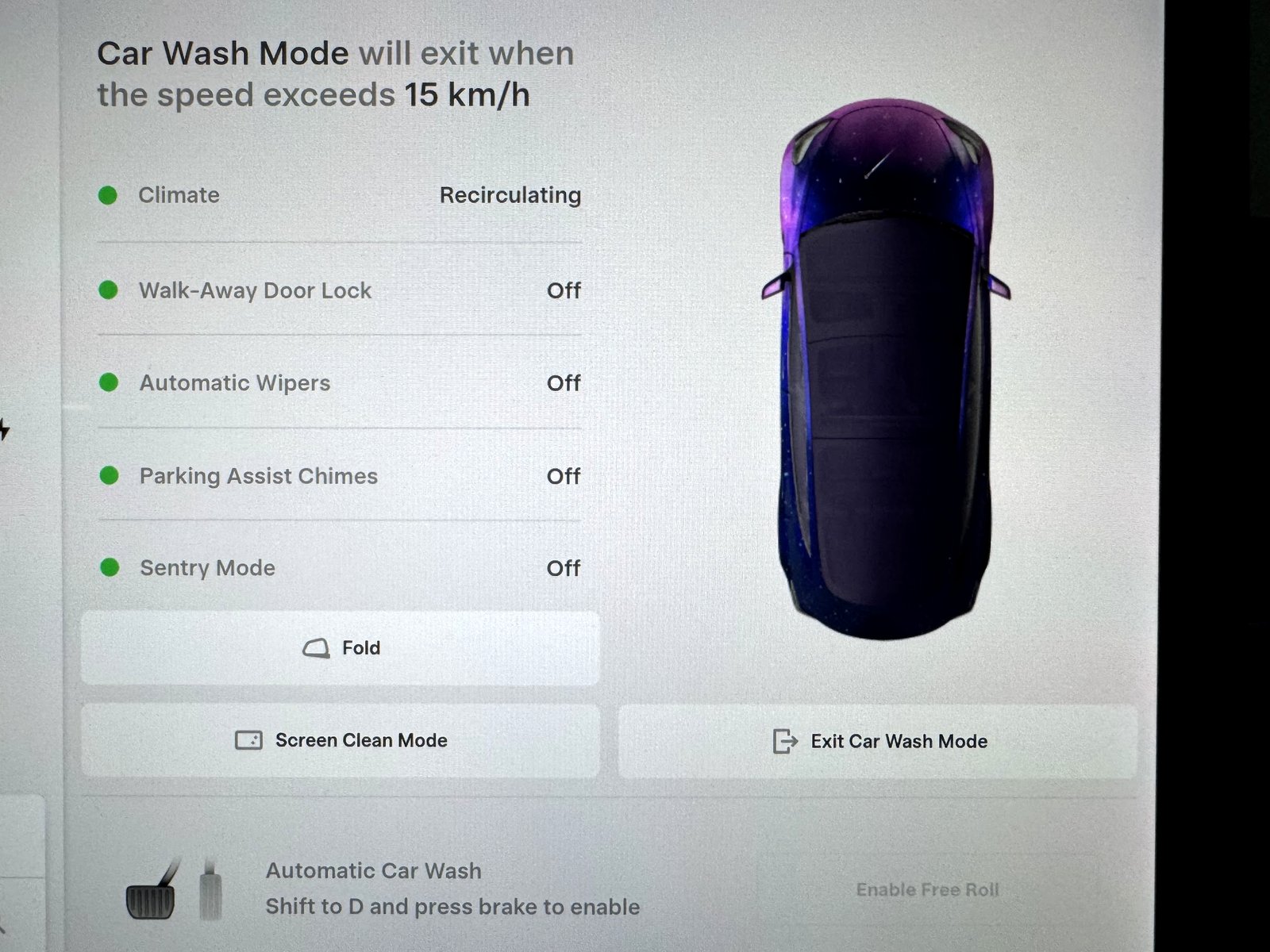
Car and scope: The photographs show my June 2020 Model 3’s Car Wash Mode, Free Roll prompt, original chrome trim and Screen Clean Mode. My screen shows Climate: Recirculating. The operating steps below use Tesla’s instructions; later Model 3 and Model Y controls and equipment should be checked against their own manual.
Car wash setup and product-selection checklist
| Situation / item | Use or choose | Avoid / verify |
|---|---|---|
| Stationary touchless wash | Car Wash Mode; position per operator | Keep closures secure; no accidental opening commands |
| Conveyor moves the car | Car Wash Mode + confirmed Free Roll/Neutral | Do not enter with an uncertain gear or unavailable Free Roll |
| Automatic wash choice | Touchless, with appropriate chemicals | Tesla advises against brushes and cloth contact |
| Pressure washer | At least 12 in / 30 cm nozzle distance; keep moving | No direct jet at seals, sensors or exposed electrical areas |
| Hand-wash kit | Mild quality car shampoo; clean soft wash/drying material | Acidic/caustic cleaners, rough cloths and dirt-filled towels |
| Glass / chrome products | Automotive glass cleaner; finish-appropriate mild care | Windshield treatments, chrome polish and abrasive cleaners |
| Touchscreen cloth | Soft lint-free cloth designed for displays | Glass cleaner, wet wipes and static-charged cloths |
Set up Car Wash Mode before reaching the equipment
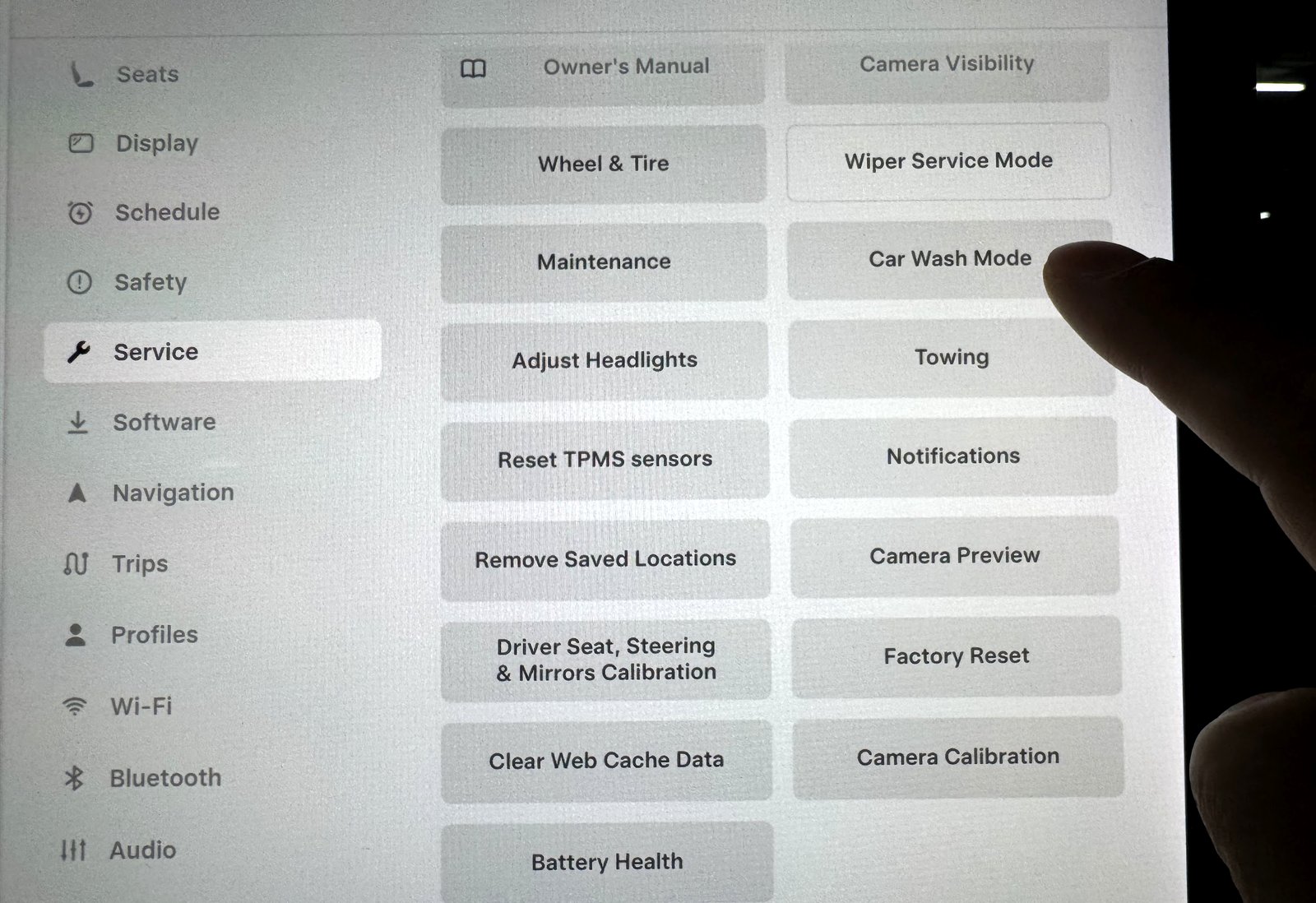
While stationary and not charging, open the mode and review its checklist. Its core actions close windows, lock the charge port and disable wipers, Sentry, walk-away locking and parking chimes. Check the actual closures before moving into position.
Pay or enter a code before the final closed-window check. Keep the vehicle locked as directed in Tesla’s automatic-wash guidance, and avoid controls that could open a door or trunk. Car Wash Mode disabling walk-away locking does not mean you should leave the doors unsecured.
If the mode is unavailable, check that the car is stopped and not actively charging. If the checklist identifies an open window or lid, resolve that before the wash starts; for a lid that will not latch, see my trunk and frunk closing checks. Leave the lane and ask the operator for help if the required setup cannot be confirmed.
Enable Free Roll for a conveyor wash
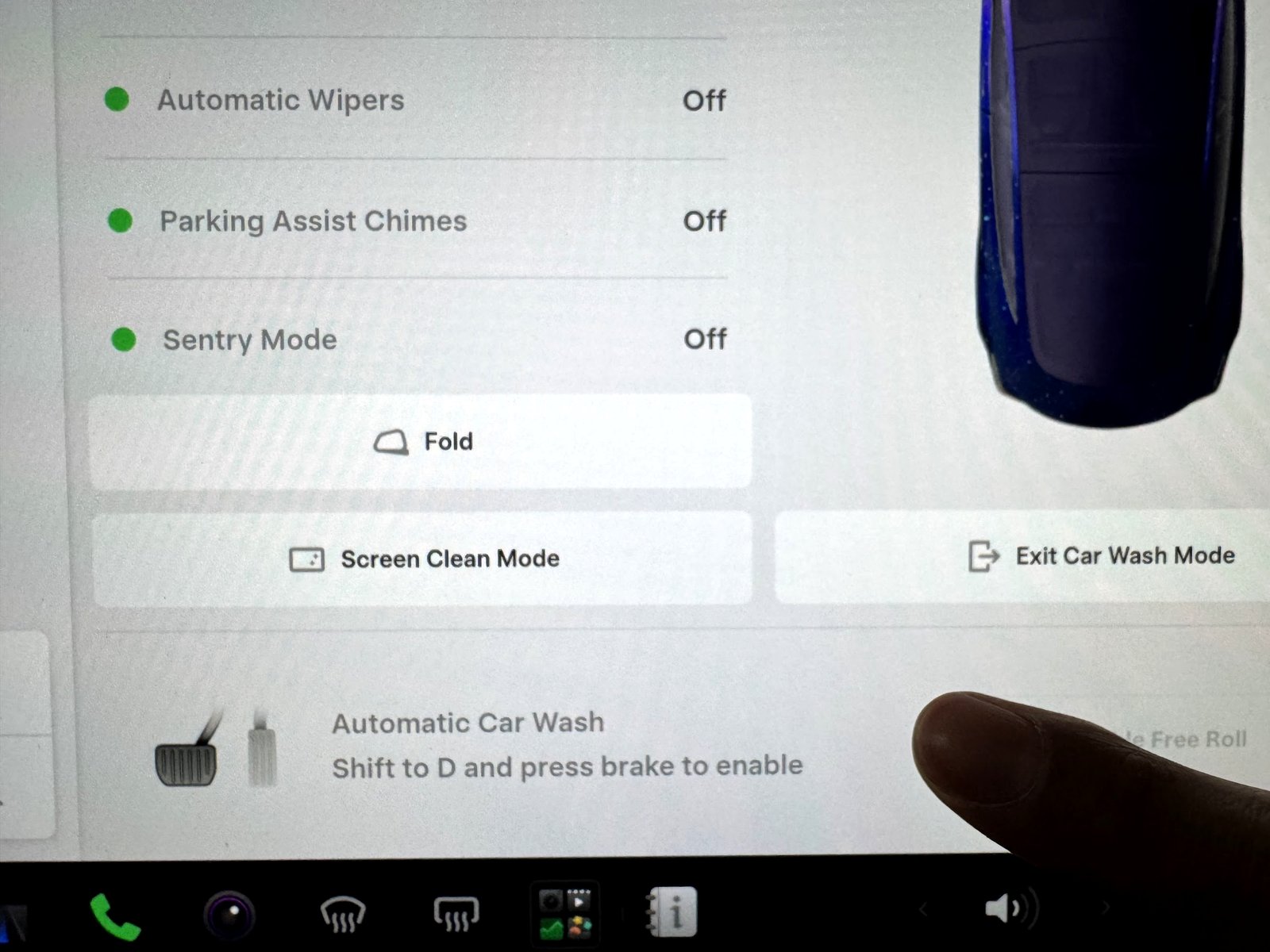
Free Roll holds the car in Neutral for the wash and prevents the normal parking-brake response to the driver leaving the seat. It is a specific car-wash function, rather than an invitation to leave the car or improvise gear changes on a moving conveyor.
- Follow the operator’s approach instructions and stop at the indicated position.
- With Car Wash Mode active, hold the brake and follow the displayed prompt. My photographed screen says to select Drive and press the brake before enabling Free Roll.
- Tap Enable Free Roll and confirm the displayed Neutral/free-roll state.
- Release the brake only when the operator directs. Keep hands, feet and controls in the positions required by the wash.
- Stay seated and buckled unless the facility has a specific assisted procedure. If something is wrong, signal the operator to stop the equipment.
Ordinary Neutral can be affected by automatic Park behavior when the car detects the driver exiting. Use the displayed car-wash procedure instead of relying on a remembered stalk gesture. This also avoids applying old stalk instructions to a stalkless car.
At the exit, wait for the operator’s release signal and a clear path before selecting the appropriate drive mode. Do not press pedals or change gears at random to troubleshoot a car already engaged with the wash.
Fold mirrors when the facility requires it
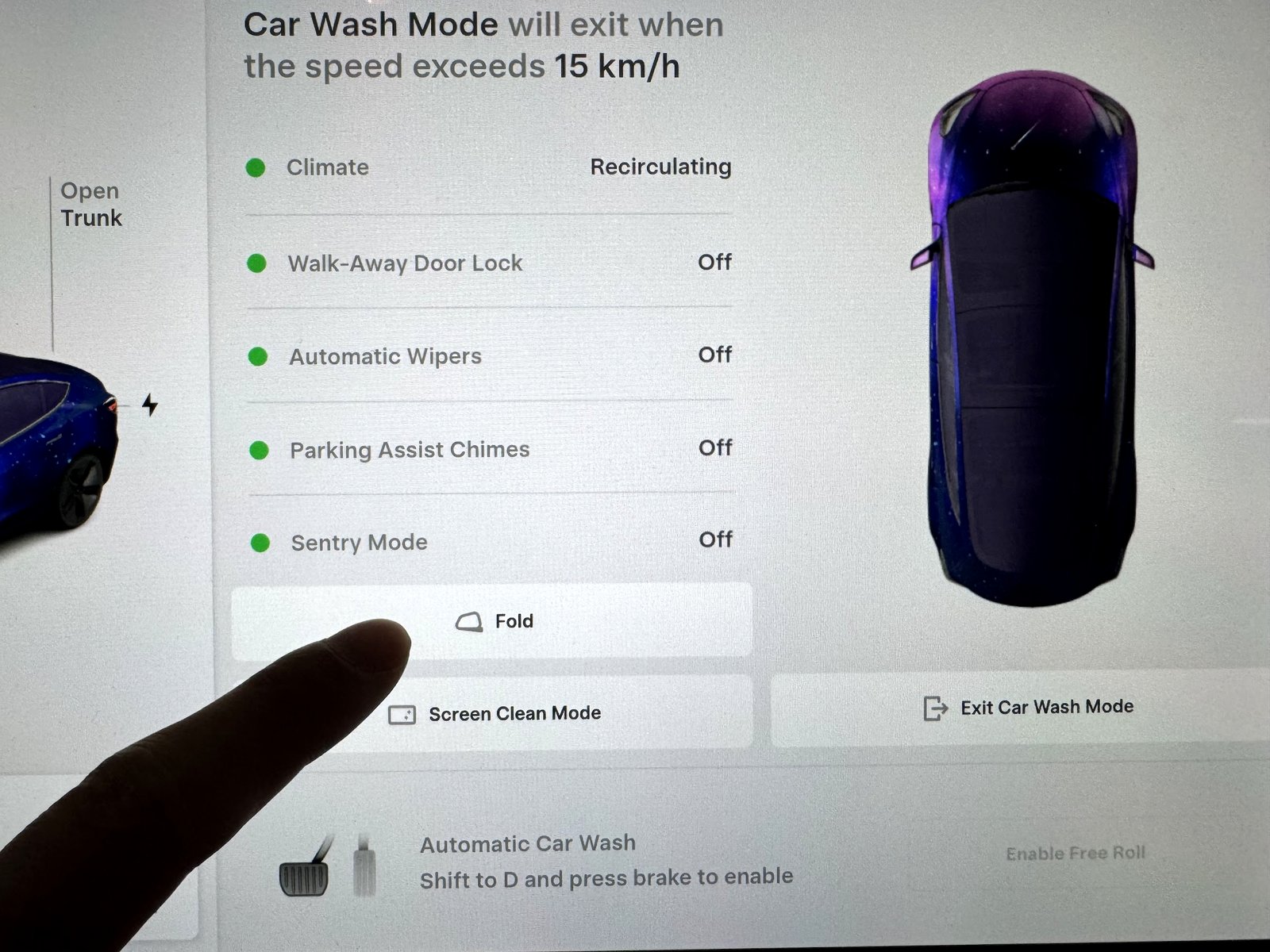
Check the available clearance and the operator’s instructions. The Fold control is provided on my Car Wash Mode screen; folding should not be assumed to happen automatically. Unfold and check your view before returning to traffic.
Protect chrome, black trim and the windshield
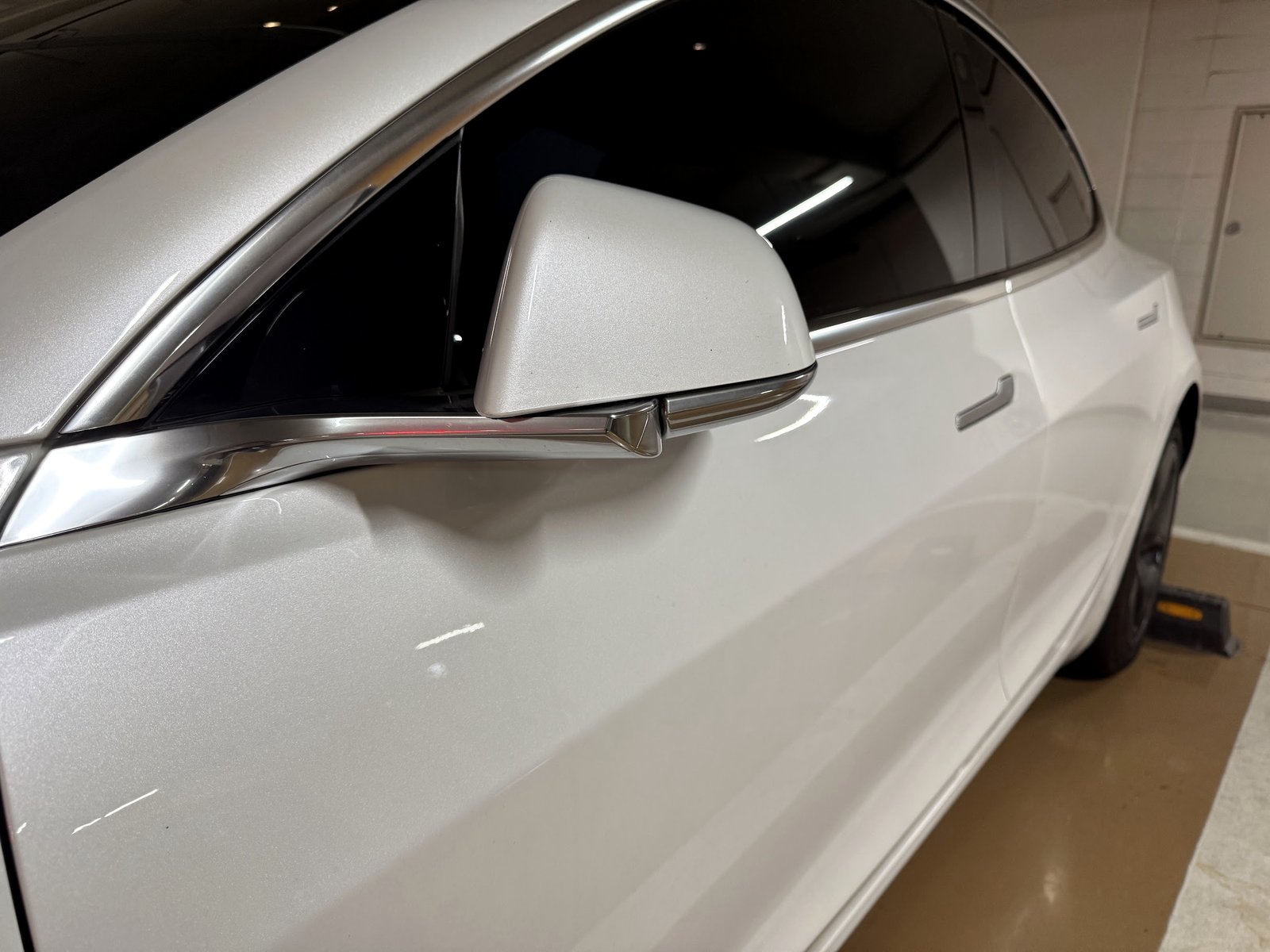
Start with rinsing away residue, using a mild suitable wash product and drying the finish. A water spot, remaining soap film and damaged coating can look similar. If a mark persists, identify the finish and contamination before moving to a stronger product.
Do not start with chrome polish, abrasive pads or a solvent from a forum tip. Tesla cautions against chrome polish and abrasive cleaners. For black trim too, avoid treating a temporary oily shine as a repaired finish. Persistent discoloration is a reason to ask a qualified detailer or service provider for a finish-specific assessment.
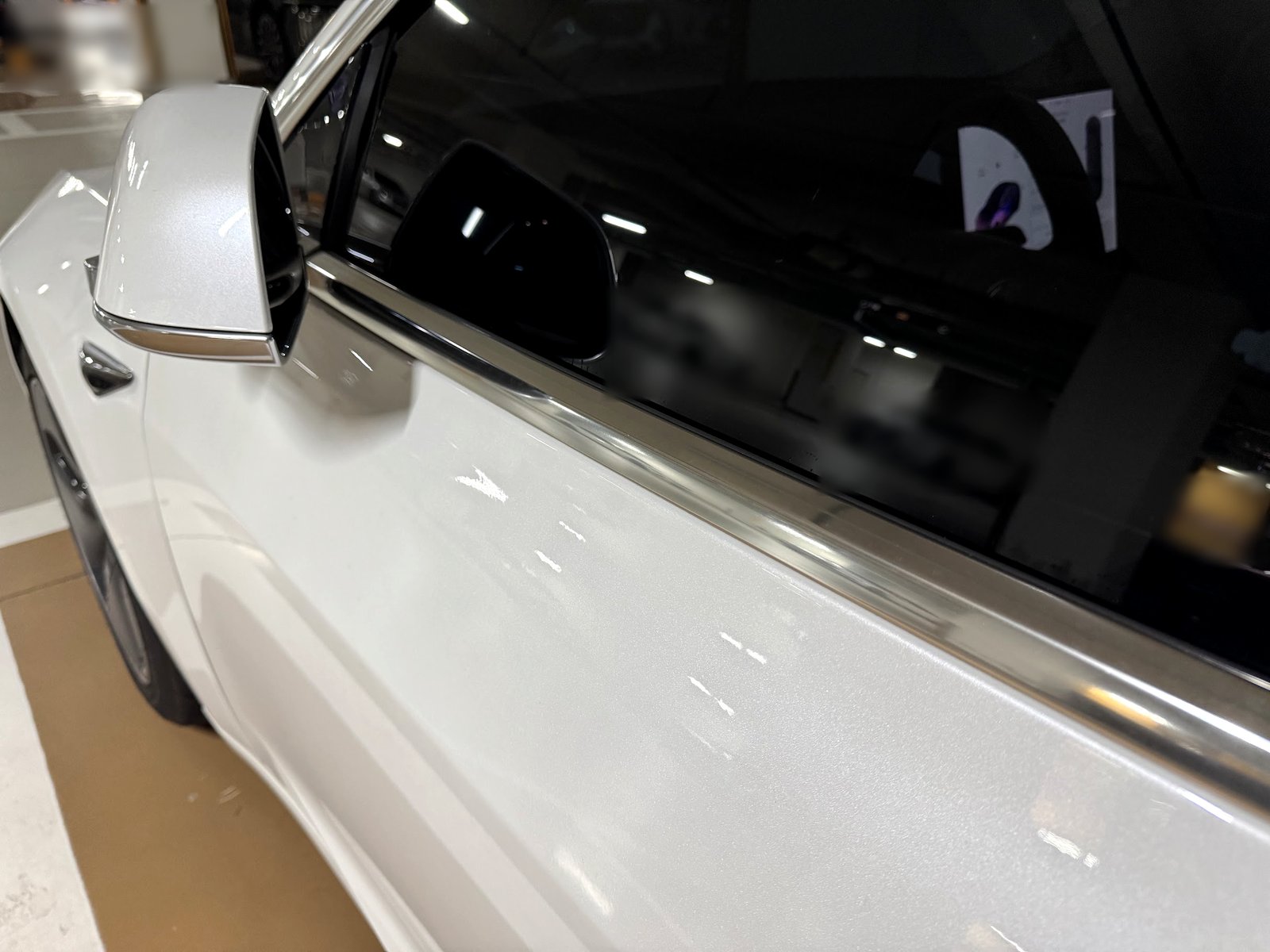
My early car’s chrome trim shows why prompt drying matters. Use a clean, soft material so dirt from wheels or lower panels is not dragged onto the trim. Do not keep scrubbing a stain harder when mild cleaning has stopped helping.
Skip windshield wax and rain-repellent treatments
Choose a wash package that avoids windshield treatments. Tesla warns that these can change wiper friction and cause chatter; coatings on the front windshield can also affect the camera view. A higher-price wash package is poor value if its add-ons create the next visibility problem.
If chatter or smearing begins after a wash, inspect the glass and blade edges. My glass-cleaning and Bosch wiper guide explains the cleaning-before-replacement sequence and blade selection.
After the wash: a short functional check
- Exit the mode and confirm normal settings. Review mirrors, desired wiper mode, security and locking preferences rather than assuming every setting restored itself.
- Inspect the finish and charge-port door. Rinse residual soap and dry accessible trim. A damaged door or charging fault belongs in the charge-port diagnostic guide.
- Dry wet brakes if necessary. Tesla describes a short drive with several brake applications. Choose safe conditions, allow adequate space and use the brakes normally; this is not a recommendation for abrupt public-road stops.
- Investigate persistent scraping. Use the wheel-scraping decision guide for the appropriate branch.
My screen’s recirculation setting is useful context for restoring climate preferences afterward. Running a particular fan setting after washing should not be presented as a proven cure for future filter odor. For an existing musty smell or weak airflow, use the filter-maintenance and odor guide.
Use Screen Clean Mode while safely parked
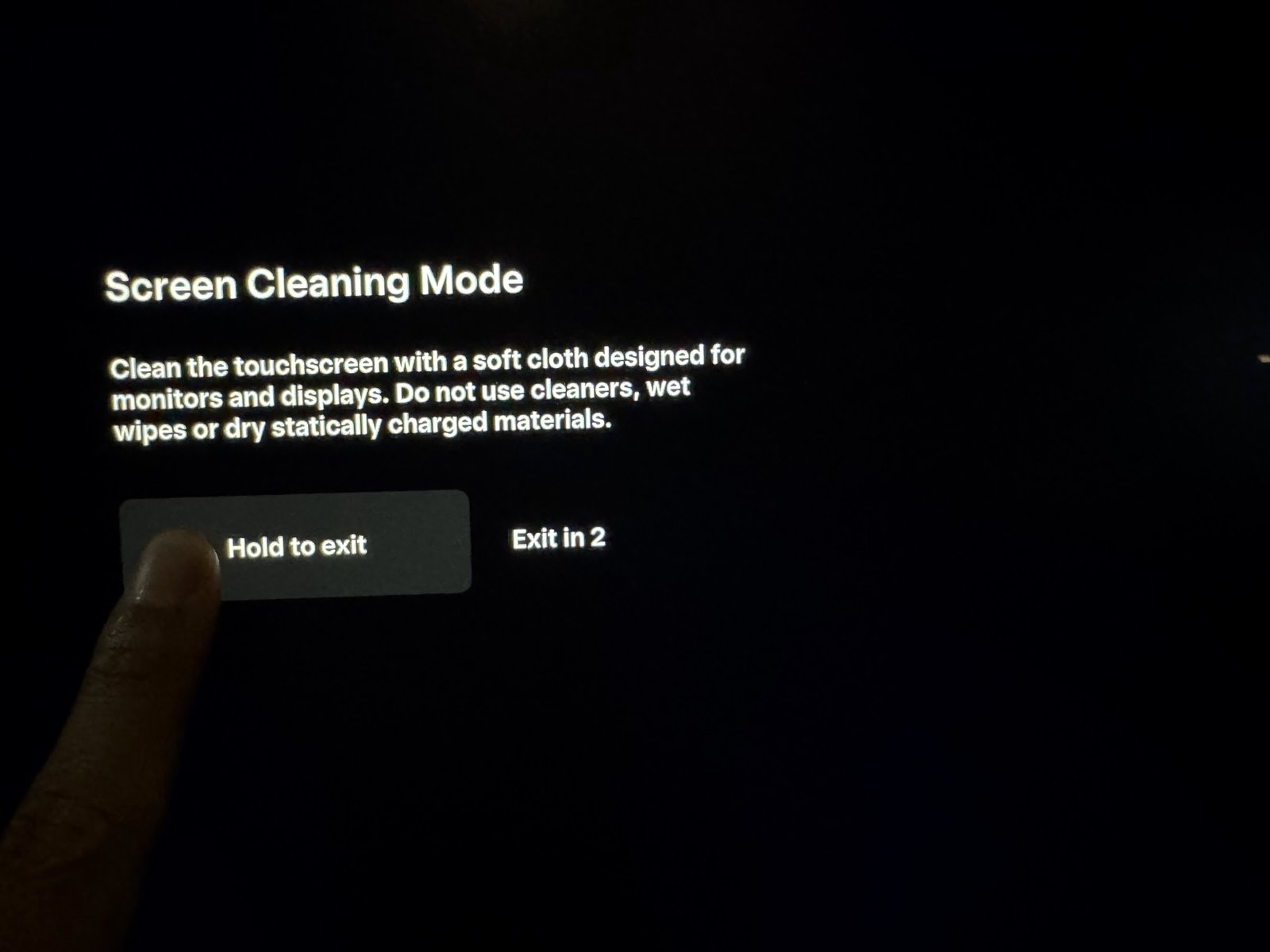
Clean the screen in the drying area, outside the active conveyor. Screen Clean Mode prevents accidental taps while you use a suitable display cloth. It is separate from a black-screen fault; hold the exit control as shown to return to the normal interface.
A useful Tesla wash kit: buy materials before extra chemicals
1. Start with the surfaces and the manual’s requirements
Choose mild quality car shampoo, clean soft washing/drying materials and automotive glass cleaner for exterior glass. Keep a separate soft lint-free display cloth for the touchscreen. A neutral-pH shampoo formulated for the vehicle’s finishes is a sensible starting option; use its dilution and surface instructions.
2. Avoid products that create extra work
Do not buy an abrasive “chrome restoration” kit as the first response to spots. Avoid acidic or caustic cleaners, windshield treatment packages and rough or contaminated towels. “Ceramic,” “water-spot remover” or “all surfaces” on a label is not enough: check whether it is suitable for the actual trim, glass or screen.
3. Match the kit to how you wash
For touchless-wash users, a clean drying towel and separate glass/display cloths are useful first purchases. For hand washing, add appropriate shampoo and a rinse setup. If a pressure washer is used, follow the minimum distance and avoid direct jets at sensitive areas. Extra pressure is not a substitute for pre-rinsing grit.
The photographed controls and chrome surfaces are from my car; no unrecorded chemical brand is being presented as an owner-tested pick. For persistent staining, pay for a finish-specific diagnosis before buying increasingly aggressive products. That is often a better decision than replacing trim after a failed polishing experiment.
Frequently asked questions
Can a Tesla use an automatic wash?
Tesla’s recommendation is touchless automatic washing, with the required vehicle settings. Confirm that the facility is suitable and whether it moves the car or keeps it stationary.
Why is Enable Free Roll grayed out?
Check Car Wash Mode and the on-screen gear/brake requirements. My screen asks for Drive and a pressed brake. If it remains unavailable, do not let the conveyor take the car.
Does Car Wash Mode fold the mirrors?
Check and operate the mirror control as needed; my screen includes a separate Fold button. Verify the mirrors are unfolded before driving away.
Will Car Wash Mode protect against harsh soap?
It changes vehicle settings, not the finish’s chemical resistance. Select suitable cleaning products and rinse/dry remaining residue.
References
See Tesla’s 2017–2023 Model 3 cleaning and Car Wash Mode instructions and Model Y cleaning guidance. Use the manual for the vehicle and installed equipment.
— Volt Fix Garage
Leave a Reply